
Toolblocks
Toolblocks

Changelog

New updates and improvements to Toolblocks.

A stronger business development workspace

A stronger business development workspace

Toolblocks now brings more of your relationship, account, and pursuit work into one place. Contacts and accounts are easier to search, filter, enrich, and review, with better support for relationship stages, outreach history, follow-up planning, ICP filters, and BD review workflows.

Teams can now connect more relationship context from meetings, events, prior outreach, and internal activity so account plans and follow-ups start with more of the picture already assembled.

Event intelligence for follow-up and account planning

Event intelligence for follow-up and account planning

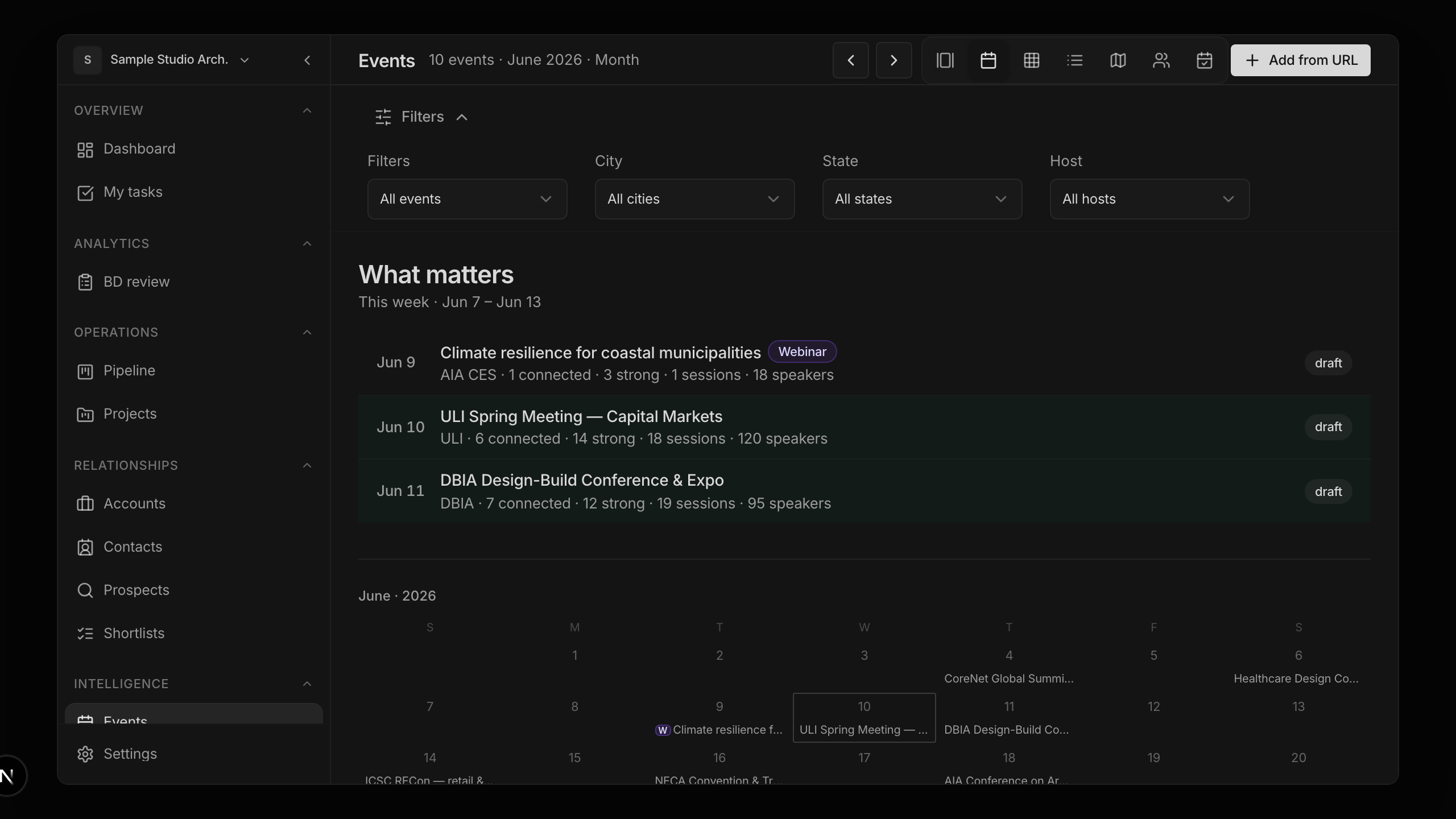
Events now work more like a source of relationship intelligence, not just a list of dates. You can track workspace events, import event data, review speaker and attendee context, generate event contact reports, plan attendance, and connect event activity back to shortlists, accounts, and follow-up workflows.

Signals and event intelligence also flow into chat workflows, making it easier to ask which firms, people, and opportunities matter after an event.

Mobile capture for real-world relationship work

Mobile capture for real-world relationship work

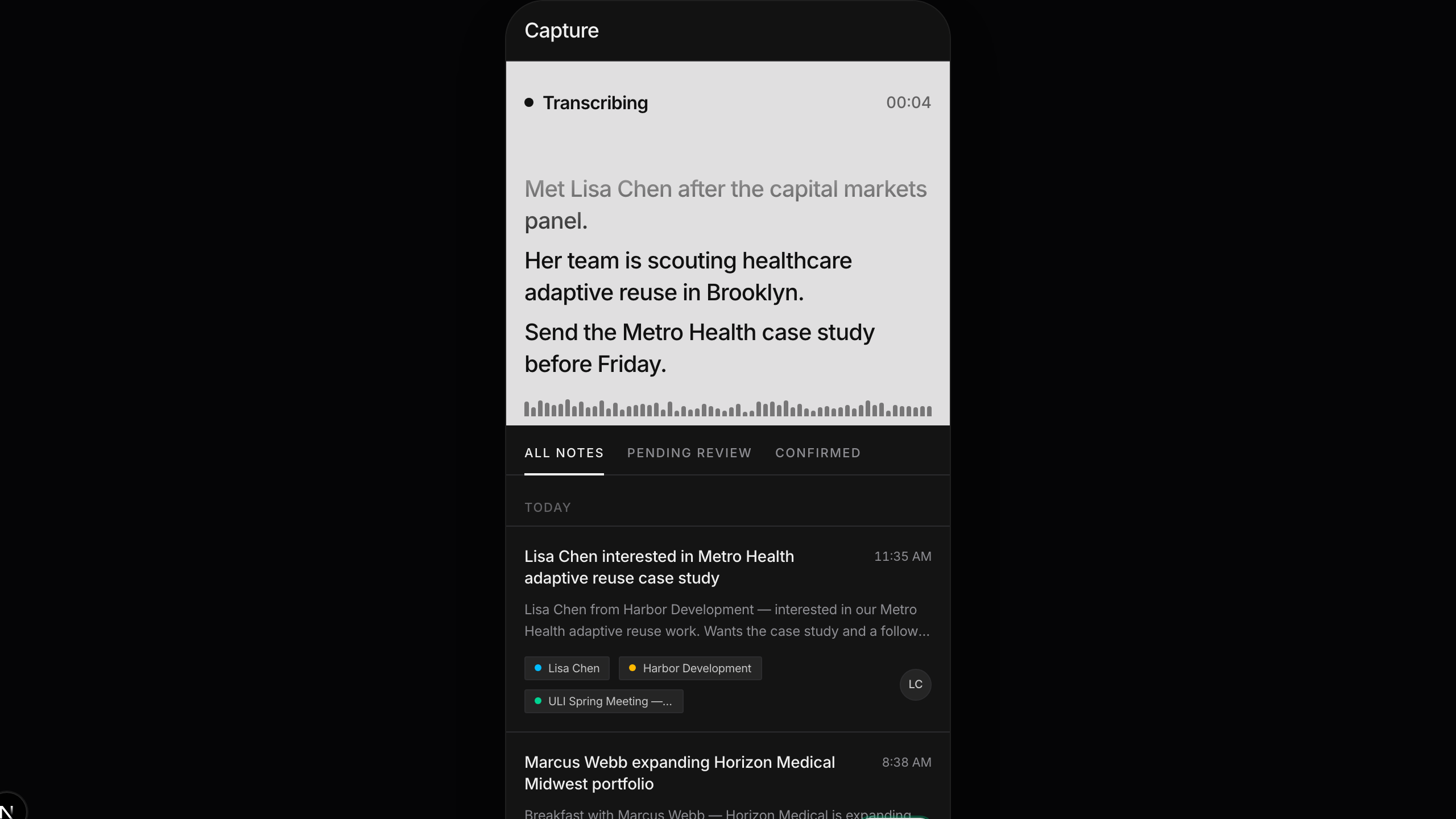
Mobile event workflows are smoother for capturing people, firms, and follow-up context while conversations are still fresh. Teams can more easily turn in-person event notes and new relationship details into contacts, reports, and next steps back in the workspace.

Account and competitor context for pursuits

Account and competitor context for pursuits

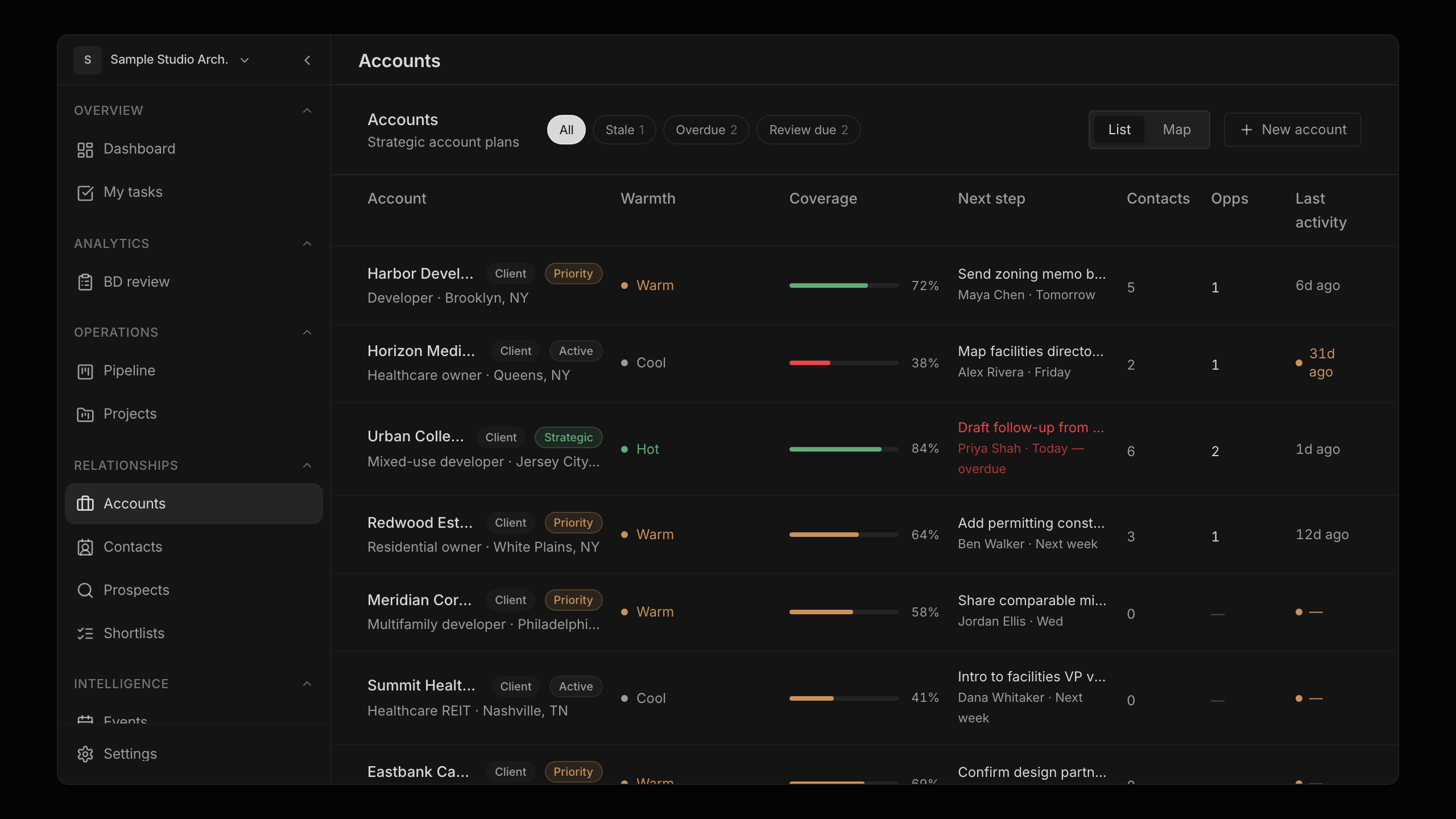
Accounts now give teams a clearer place to review target firms, relationship coverage, recent activity, next steps, and account planning context. This makes it easier to move from a list of contacts to a working view of the firms your team is trying to win.

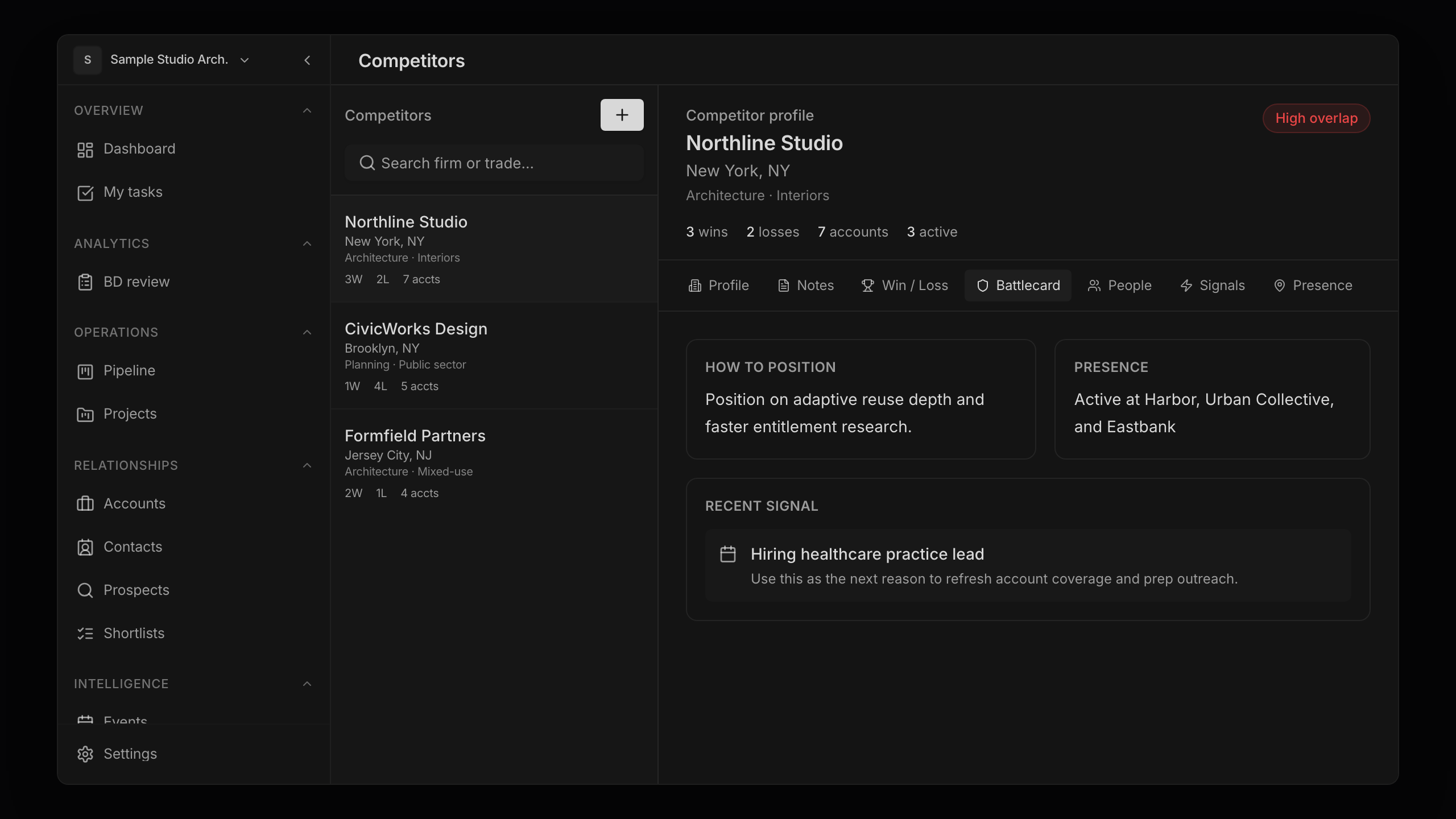
Competitive context is also easier to capture and review, so teams can track who they run into, where competitors show up, and what that means for pursuit strategy.

Better research, chat, and workflow assistance

Better research, chat, and workflow assistance

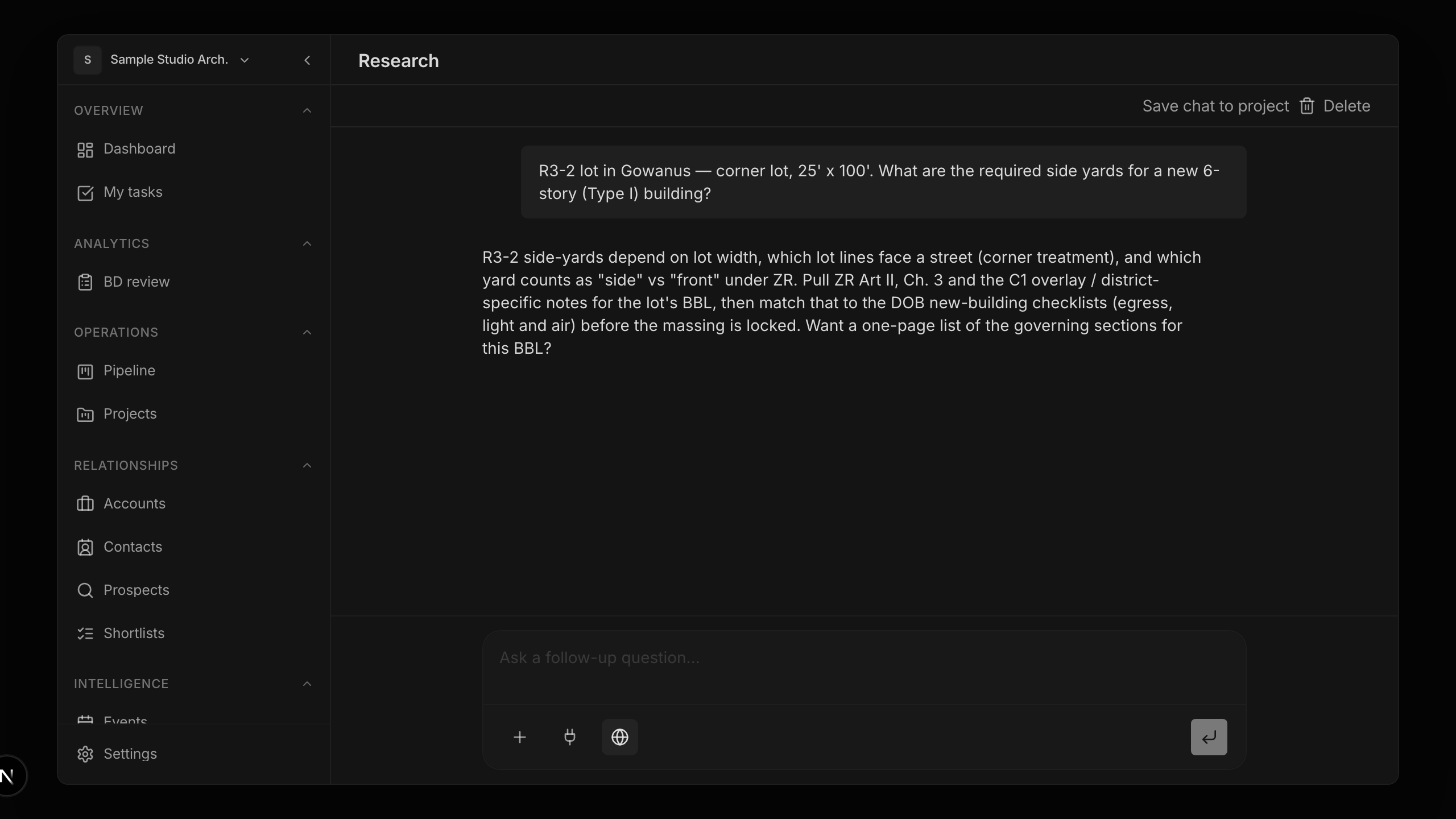
The chat and research experience now supports more durable workflows: saved chat context, address and municipality research, organization landscape research, people prospecting, meeting prep, presentations, proposal support, and clearer workflow progress.

Longer-running research tasks are easier to track, continue, and turn into useful workspace artifacts.

Workspace setup, projects, and team operations

Workspace setup, projects, and team operations

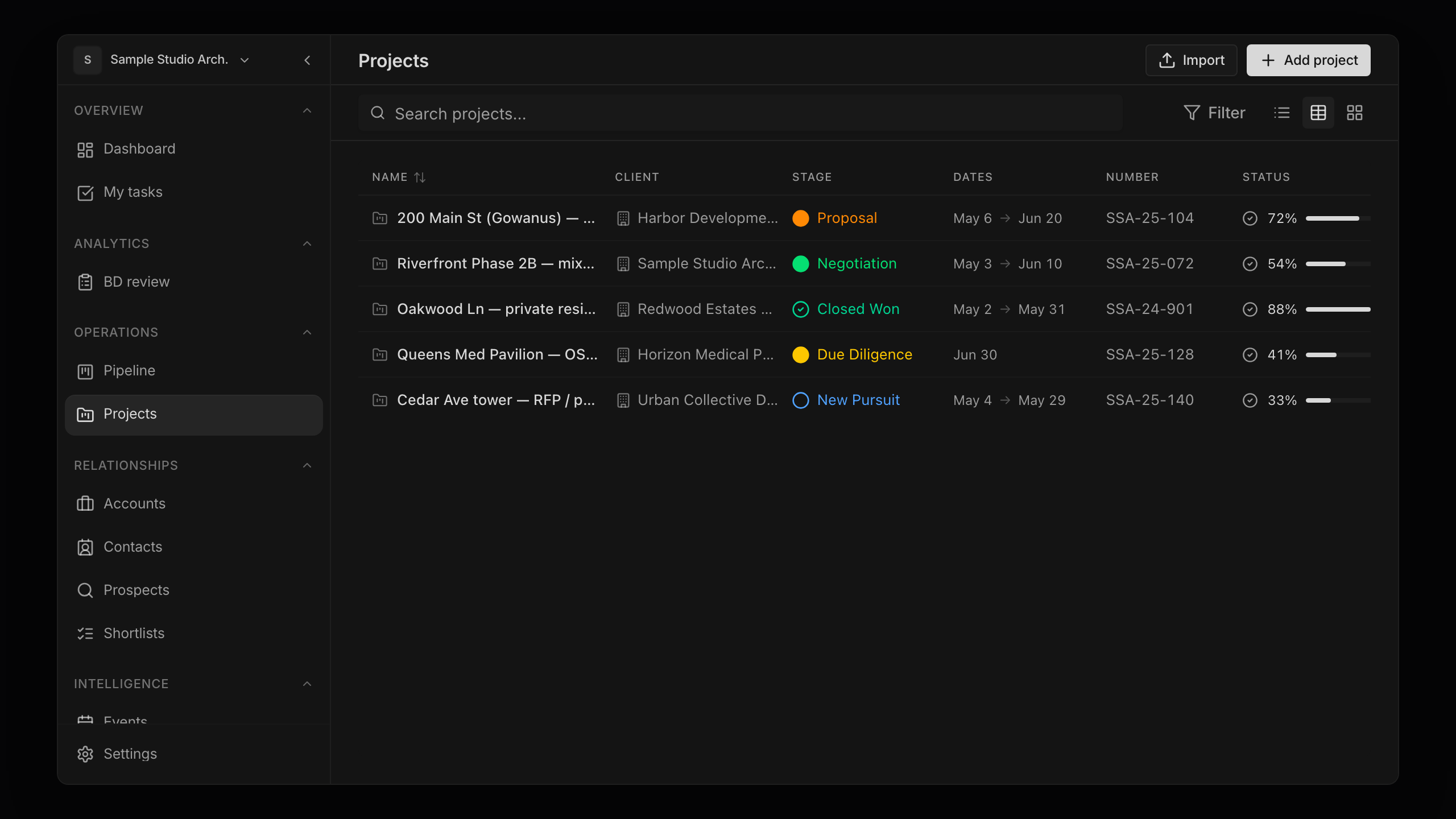
Project and task workflows now have better imports, task templates, workstreams, kanban behavior, project settings, and admin controls. Team setup is also smoother with invitations, onboarding improvements, workspace organization updates, and clearer access rules across organizations.

These updates make Toolblocks easier to configure around how a firm actually pursues work, manages project handoff, and coordinates team ownership.

Your project workspace is here

Your project workspace is here

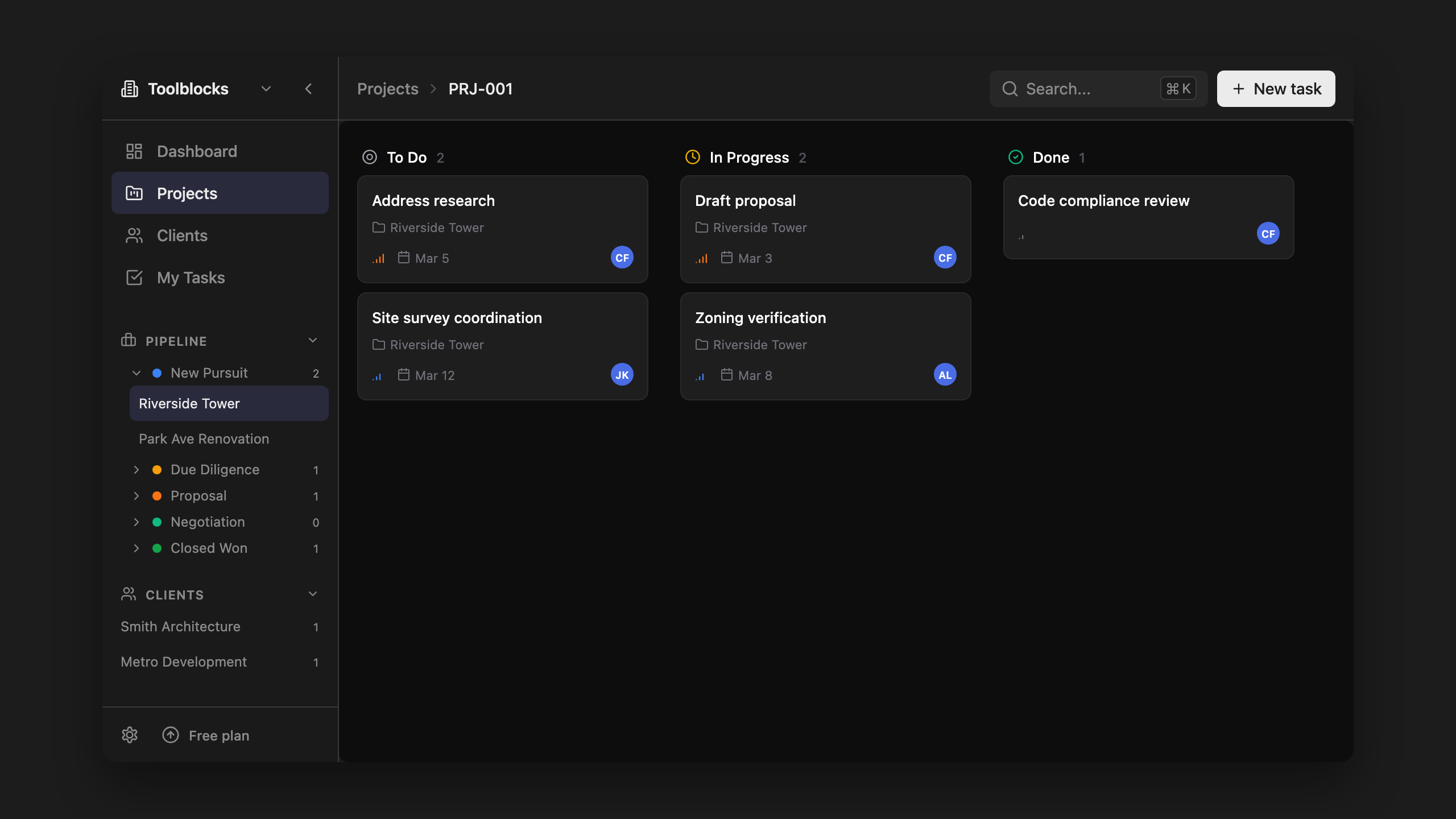
Track tasks, run AI research, and manage projects — all in one place. Toolblocks now includes a full project workspace with kanban boards, task lists, and Gantt views so you can keep project context together instead of switching between tools.

Create a project, add tasks, and run AI-powered research directly from the task view. Every output includes sources you can verify and override.

v0.6.1
  • Desktop app: More reliable app updates and document-related workflows
  • App stability: Fewer release-time issues affecting access to the latest version

Research and presentations

Toolblocks can now help turn project context into presentation drafts, making it easier to prepare early concept packages from the work already happening in your workspace.

A more useful project workspace

Project work now has more context, better organization, and smoother access across devices. Toolblocks can connect project information, research, tasks, and saved resources so teams have a clearer place to continue work.

Faster command menu

Search in the command menu is faster and more direct, helping you get to the right tool with fewer keystrokes.

v0.4.1
  • Command menu: Simpler file handling when starting a workflow from a file
  • Research: Cleaner AI responses with less internal process shown in the interface

Research with web context

Toolblocks research can now bring in web context, helping drafts include more current and verifiable information.

More tools for everyday AEC work

This release added more calculators, stronger project organization, and better note-taking so common project references and quick checks are easier to keep in one place.

A larger AEC tool library

Toolblocks added a broader set of calculators and quick-reference tools for design, estimating, code lookup, dimensions, hatch patterns, and project setup.

Better desktop downloads

Desktop downloads became easier to manage, with clearer email capture and download tracking before installing Toolblocks.

Initial release

Toolblocks launched with AEC calculators, quick access through the command menu, and desktop app support.